CronoVent at Festival Filosofia: features shaped by real event work
Festival Filosofia has finished, the event went well and CronoVent worked extremely well for my own work. The most interesting part was seeing the product grow around the needs we encountered while using it.
The real test starts when the crew needs the schedule
I started building CronoVent after years of putting production schedules together in Google Sheets. Those spreadsheets served us for a long time, but I wanted something closer to the work of an event service company: finding a session, checking a venue’s requirements and sharing the right information with people on site.
Festival Filosofia gave me the opportunity to use it in the setting I had in mind. My assessment is very positive. This is my own operational experience as CronoVent’s creator, rather than an official assessment by the festival organisers.
During preparation and on site, the requests were practical: make a screen easier to read on a phone, separate the tasks for one venue, or make existing information easier to find. These needs shaped the additions and refinements below.
A venue’s technical requirements in one place
Opening each session separately to work out what is needed throughout the day is repetitive. The venue’s Technical requirements summary brings those requests together, with a choice of the selected programme day or all days.
You can print the summary or save it as a PDF through the print dialog. It helps with preparation and crew checks. Requirements stay attached to their sessions; they are not automatically totalled as warehouse inventory.
Missing equipment: report it, then resolve it
The Missing equipment section gives technicians a dedicated place to report what is missing. Town, venue and a description are required; the technician’s name is optional.
Editors see a count of open reports and can mark them as resolved. Resolved reports leave the operational list, while their data is retained. The purpose is to distinguish an outstanding request from one already dealt with.
ToDos organised by town and venue
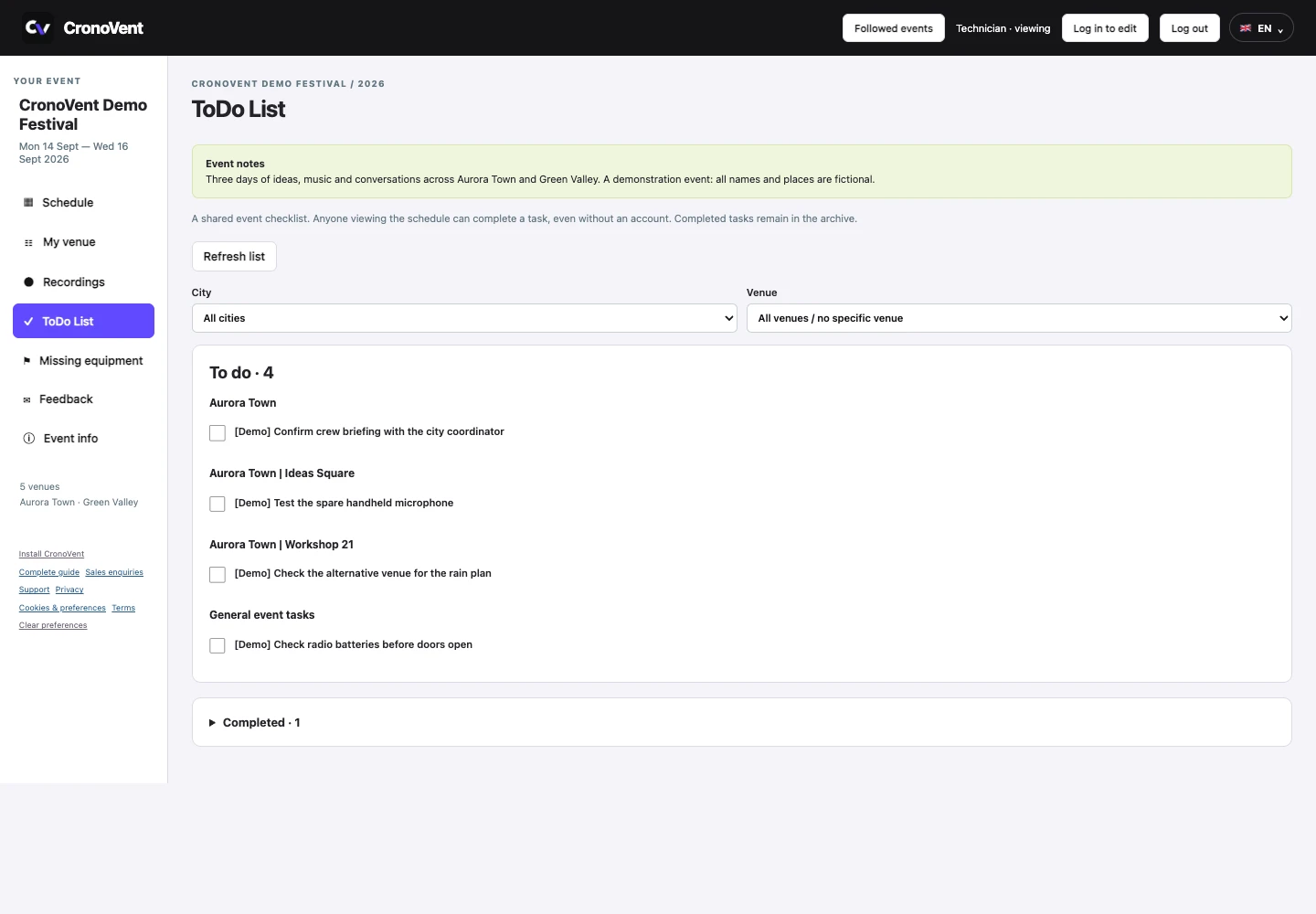
A single task list is useful at first. Across several venues, knowing which space a task belongs to becomes important. ToDos can now optionally be assigned to a town and venue, while shared tasks remain general.
Programme viewers can mark a task complete and find it in the completed archive. We also refined the list’s updates so it would no longer redraw repeatedly while people were reading it.
Rain plans, decision deadlines and heat plans
A backup venue is more useful when it is visible in the schedule and linked to the right session. The rain plan also appears at its proposed destination, with a clear label and a link back to the main session.
A decision deadline can record the date and time by which the rain-plan decision needs to be made. Work on alternatives has since expanded to a heat plan. When both alternatives use the same venue, CronoVent displays one entry with both indicators.
These are planned alternatives, not automatic moves. The crew still needs an explicit operational decision and communication. Alternative-plan references should not create duplicate recording tasks.
A schedule that adapts to the way you view it
The schedule gained a compact zoom control and columns you can resize by dragging their borders. Mobile readability and menus were refined too: quickly checking a venue on a phone is a different task from preparing the programme at a desk.
CronoVent can be installed on a phone or computer. Followed events help viewers return to programmes saved on that device. A connection is required to access current data and make changes; installation does not provide offline operation.
Working together without overwriting each other
Programme updates appear without continually refreshing the page. People can work on different sessions, while an individual session is protected during editing.
Duplicating a session is more direct too: enter its new title, date and times, without an unnecessary extra details window after copying. The aim is to remove steps that do not help the work.
Recording status and feedback
In Recordings, the status colour takes priority over session customisation. The main schedule keeps its programme colours. Each view answers a different question: what is happening, and how far has the recording progressed?
The new Feedback button lets users leave a note about the event or the app, with an optional name. Event feedback goes to the event owner; app feedback goes to the developer. Suggestions from actual use can continue after the festival ends.
What I take away from the festival
The event went well, and I am pleased with how CronoVent supported my work. I have not measured hours saved or a percentage reduction in errors. What I can share is a positive personal experience and practical improvements shaped by using the product.
Thank you to the colleagues who used it and the people I worked alongside. The next step is to bring this approach to other event service companies, starting with their schedules, venues and crews’ needs.
If you coordinate events across several spaces, start with something concrete: the next event you need to prepare. Explore the public demo, then use the free trial to work in your own workspace.
Your next event could be the next step.
Explore the demo without signing up. To work in your own workspace, start a 7-day trial from email confirmation. No card is required and the trial does not trigger an automatic charge.
Preparing an event? Email info@cronovent.it with its date and the number of venues you need to coordinate.