Crews and information spread across venues.
Technical summaries, ToDos and missing-equipment reports: improvements shaped by using the schedule on site.
Read the Festival Filosofia story → cronovent
Festival production scheduling software built for technical event suppliers. Keep timings, rooms, rehearsals and riders in one place. You update the plan; your crew checks it on their phones.
Explore the demo in three steps →
A project by REC Eventi
When the answer lives in a chat, a PDF and a different spreadsheet for every venue, your crew needs one shared reference.
Connect each session to its timings, venue and technical requirements. Update the shared schedule when plans change. People on site can find their day’s work and the information you have made available.
When to move from spreadsheets to event software →Andrea Matteo Bassi created CronoVent after years of building production schedules in Google Sheets.
Operational use at Festival Filosofia and roBOt Festival helped shape the product. Read the first-hand accounts from the person coordinating the work.
Technical summaries, ToDos and missing-equipment reports: improvements shaped by using the schedule on site.
Read the Festival Filosofia story →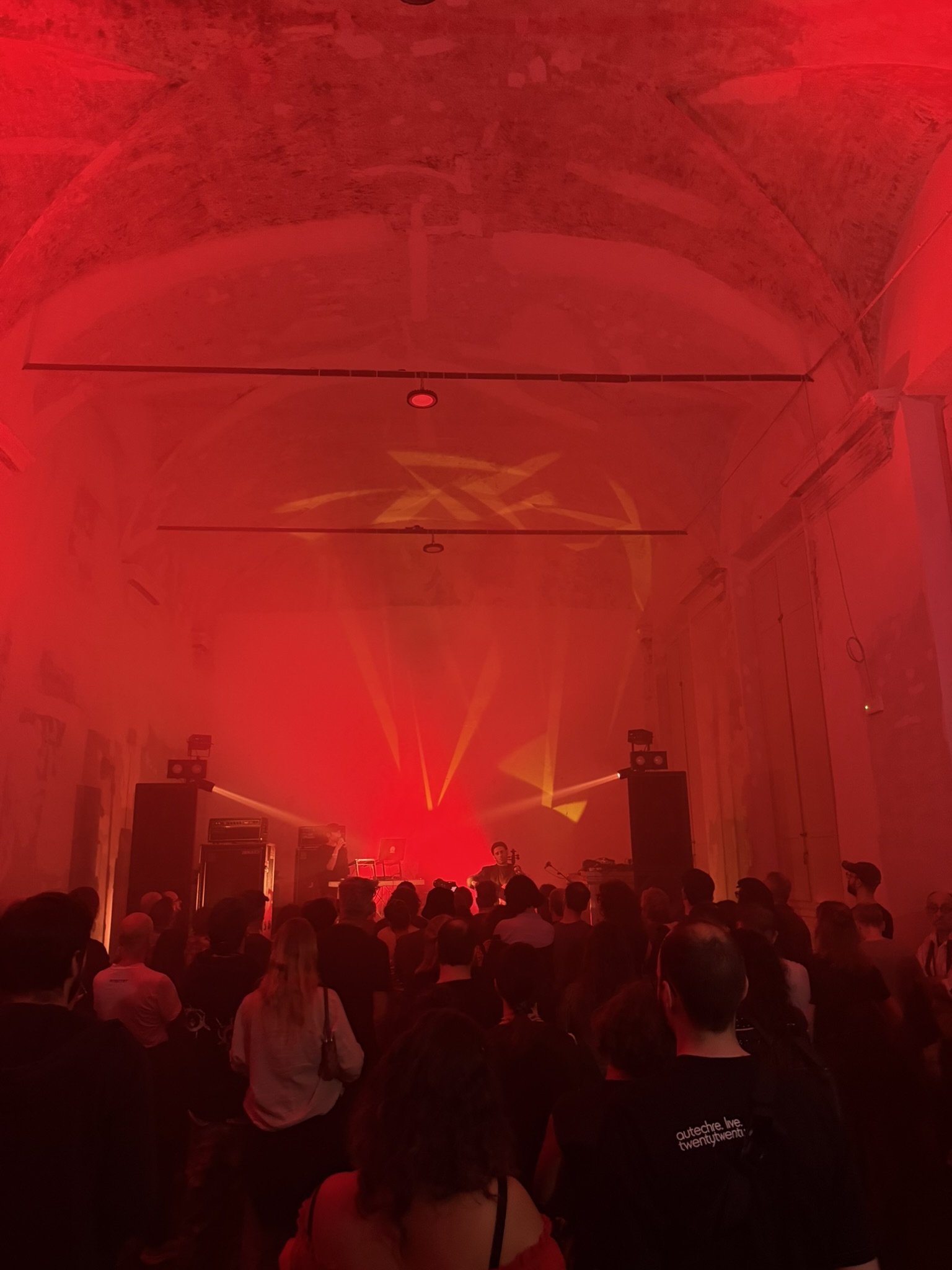 ROBOT FESTIVAL · WITH PRO MUSIC
Returning to roBOt and coordinating technical work, from the running schedule to loading the vehicles for the journey home.
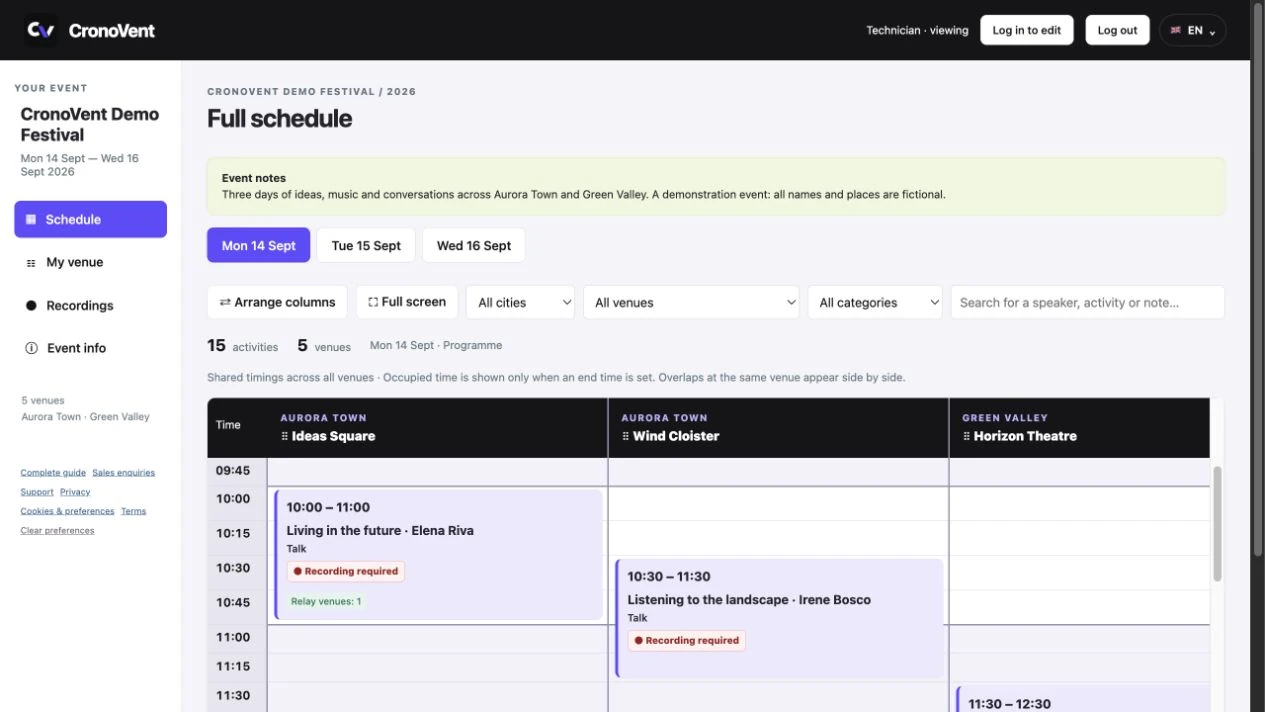
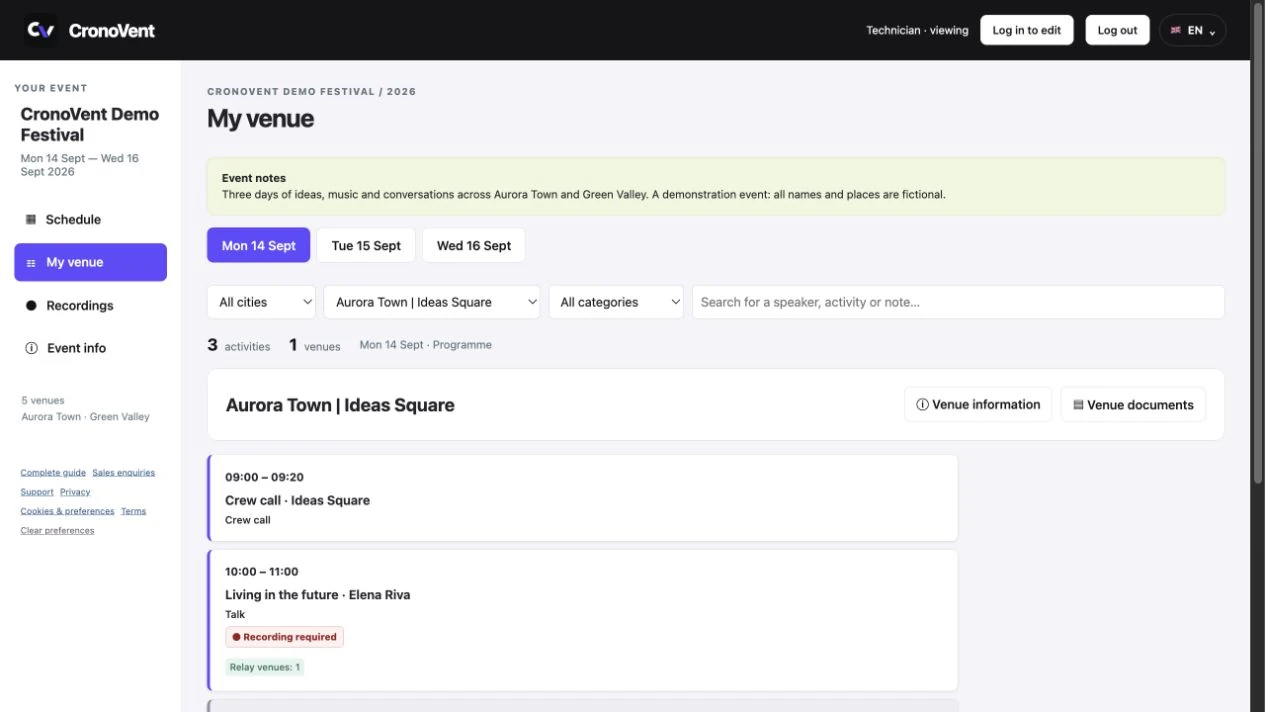
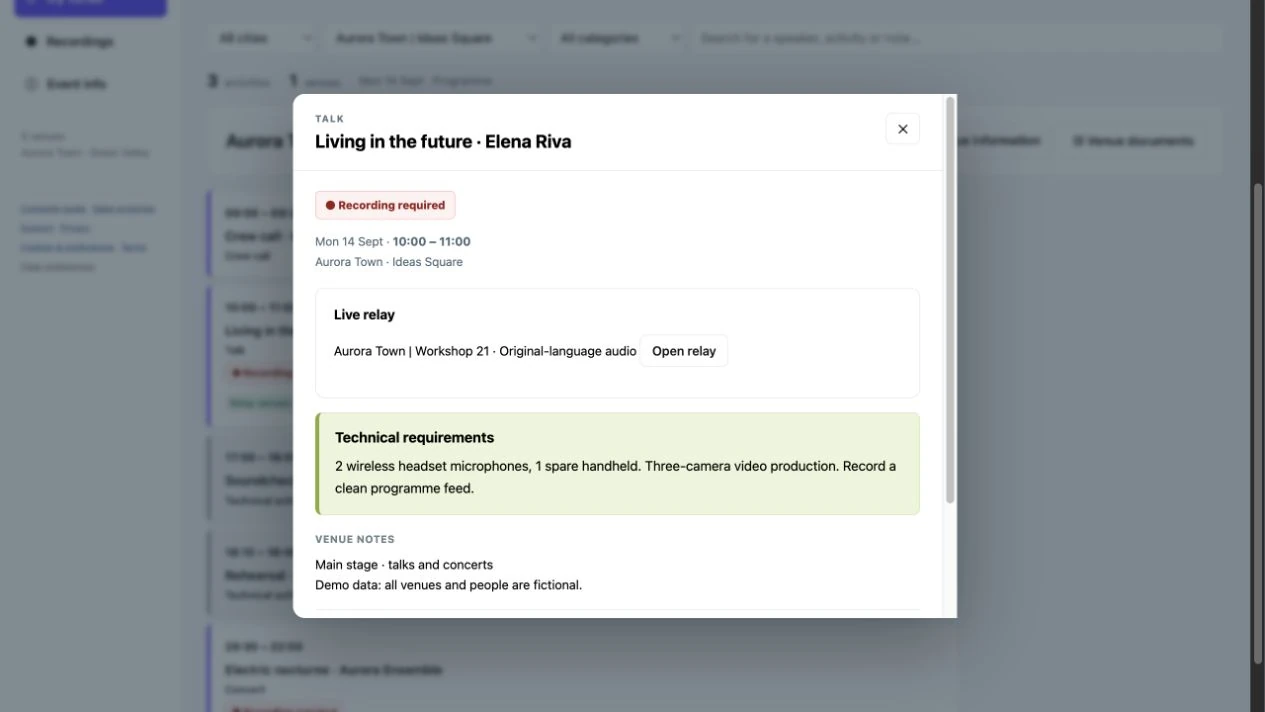
Read the roBOt Festival story →Three actual demo screenshots, with fictional names and places. Open the images to view them at full size. These screenshots show the English version of the app.
Compare timings across venues and switch between days. In the grid, overlapping sessions at the same venue appear side by side.
Choose a venue to find sessions in time order, notes and confirmed equipment. A dedicated view for the people working on site.
Timings, venue, technical requirements and notes are collected in one place. Live relays show where the session is being broadcast.
Separate rooms and show shared activities across the venue, including overlapping setups and rehearsals.
Assign managers and technicians by event, city or venue. Freelancers can work with several suppliers using one account.
Prepare an alternative venue and a rain-plan decision deadline. The crew can see how the alternative links to the main session.
Collect ToDos and missing-equipment reports by venue. Open requests remain separate from resolved ones.
A session ending the next day also appears on that day’s schedule. Rehearsals and soundchecks stay linked.
Keep PDFs, contacts and technical notes with the venue or session. Read documents in the app and print a requirements summary.
A dedicated schedule for sessions that need recording. Raw footage uploaded, video exported, video delivered: coordinators can follow progress. You can also choose whether this section is visible to people viewing the schedule.
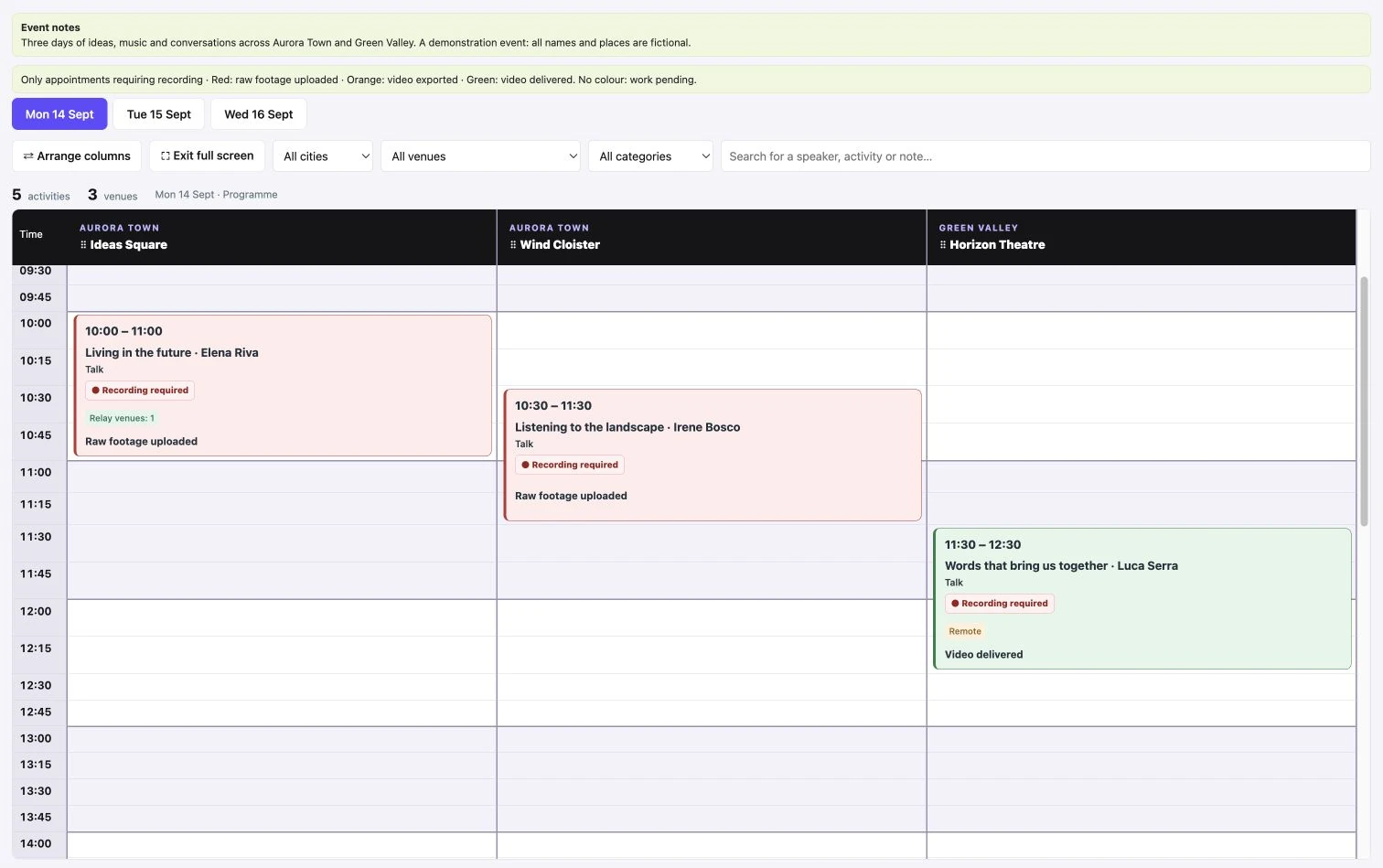 Recordings · actual demo screenshot. Click to enlarge ⤢
Start free with a small event. Upgrade when you need more spaces or sessions. No charge for technicians with read-only access.
No expiry · no card required
One event · no automatic renewal
Automatic monthly renewal · disable anytime
Save €58 compared with 12 monthly licences · automatic annual renewal, disable anytime
Festival · €49 + VAT. For example: prepare a festival now, update it over the following weeks and manage show days within the 90-day validity period. It covers one event and does not renew automatically.
Monthly · €29 + VAT per month. For example: manage three events for the same organisation during the covered month. It can also cost less for a single event if you only need one month of editing. Renewal is automatic and can be disabled.
A straightforward comparison: one month costs €29, two monthly periods €58, three €87, excluding VAT. Festival costs €49 for one event with 90 days of management. Monthly covers all your organisation’s events; it is not a 90-day package. Check the actual validity dates in the portal.
Prices exclude VAT. Standard Italian VAT is 22%; overseas orders and other tax exceptions are reviewed before the total is confirmed. One licence covers one organisation. Festival: one event and 90 days of management. Monthly: one calendar month. Annual: one year. Monthly and Annual cover all the organisation’s events. Technician viewing is included. The portal and activation email show the actual validity dates.
Pay through Stripe by card or by bank transfer. Card activation follows Stripe confirmation; bank transfers require receipt verification. Check billing details and the total before ordering. Invoice preparation and the courtesy PDF email are automatic unless an error or incomplete details need attention; SDI submission follows the operator’s review.
Monthly and Annual renew automatically. Disable renewal in Licences to keep only the period already paid for. Stripe handles card renewals. For bank transfers, an order is sent seven days before expiry and the new period activates after payment verification. Festival does not renew automatically. Without another valid entitlement, you cannot create or edit events after expiry.
Lifetime refers to a permanent custom licence when assigned. It is not a fifth standard plan sold on this page and has no automatic renewal. Its scope and terms are those shown in the portal and the applicable agreement; it does not imply additional services.
Attachments: up to 4 MB per file, 50 documents per venue and 8 MB of new files per save. Videos stay on external storage. Internet access is required. Data entry, requested imports and dedicated operational assistance require a separate agreement.
Technical support: support@cronovent.it. Sales and billing: info@cronovent.it.
Tell us what you are preparing, how many days and venues are involved and when you need to start working. If available, include a link to the public programme. We can use that to discuss whether CronoVent fits and which plan to consider.
Email info@cronovent.itThis opens your email app; nothing is sent automatically. For technical help: support@cronovent.it.
The free plan has no expiry and includes 1 active event per organisation, 3 spaces in total including rooms, and 10 main appointments per event. No card is required and there are no automatic charges.
Your first event, step by step →
Enter your name, organisation and email address in the CronoVent portal.
Open the email you receive and complete your account activation.
Your account starts empty: create your first event and add days, venues and appointments. The public demos remain available from the homepage.
Your data is not sold or shared with third parties for commercial or advertising purposes. Read how we handle and protect information in our privacy policy.
To go beyond the free plan limits, choose a paid licence in the portal’s Licences section. For information, email info@cronovent.it. You can pay by card through Stripe or by bank transfer.
The public programme tells people what is happening at the festival. The production schedule adds what crews need: calls, rehearsals, soundchecks, audio, video and lighting requirements, technical documents and links between venues.
With CronoVent, the coordinator collects this information for each session. The time-aligned grid makes overlaps visible; each technician can check their own venue in a browser using the code or link they receive.
No. They use the event code or link and the password chosen by the coordinator, if one is set. Accounts are for people managing events.
Yes. Each event can have multiple days and venues, identified by city as well.
Yes, in your browser. The mobile view lets you read the schedule and filter information for your venue.
No. CronoVent tracks the recording workflow. Video files stay on your own storage system.
The free plan has no expiry and includes 1 active event per organisation, 3 spaces in total including rooms, and 10 main appointments per event. No card is required and there are no automatic charges.
New accounts start with no events. The Italian and English demos are available from the homepage in read-only mode. Archive an event to free the slot for your next one: archived events remain viewable but cannot be edited on the free plan. Rehearsals, soundchecks and relays generated from the main appointment do not count towards the limit; manually created technical activities do.