What is an event production schedule?
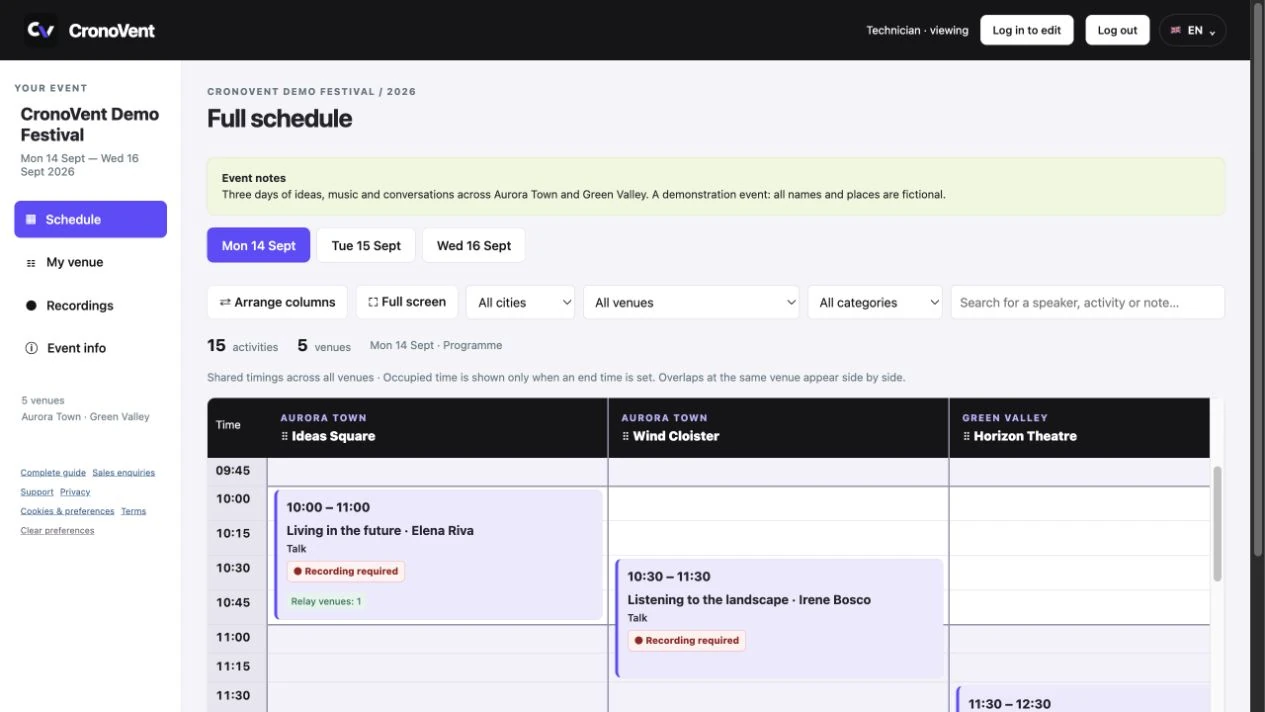
It is the operational programme linking every activity to a day, time and venue, with the information needed to make it happen. The public programme presents talks and shows; the production schedule also includes crew calls, rehearsals, soundchecks, load-in and load-out.
For each session, audio, video and lighting requirements, crew notes, documents and links to other activities should be easy to find. That is why it helps to separate venue information from the details of a particular session.
How to organise a festival production schedule
- Define the days and venues. Include setup days too. Use consistent names such as “MODENA | Theatre” to distinguish spaces when working across several cities.
- Add the sessions. Title, category, venue, date and start time are the starting point. Add an end time when known: it helps show when spaces are occupied.
- Add the technical work. Crew calls and overall load-in and load-out activities have their own timings. Rehearsals and soundchecks can be linked to the main session.
- Complete the production requirements. Specify microphones, projection, playback, lighting, remote connections and recording needs. Write concrete instructions that can be checked.
- Flag what is missing. Use items to verify to distinguish open questions from confirmed information. Once a question is resolved, update the relevant field and remove the flag.
- Check and share. Review the schedule by day and venue, check overlaps and try the technician view before distributing the link.
Two simultaneous activities are not necessarily a problem. Check whether they need the same people or equipment: CronoVent makes overlaps visible, while resource decisions remain with the coordinator.
Example: a talk at 10 am in the theatre
A one-hour public session may need several preparation activities. Here is an illustrative example to adapt to your production timings.
| Time | Activity | Information to prepare |
|---|---|---|
| 08:00 | Crew call | Venue, contact person and access instructions. |
| 08:30 | System checks | Equipment list and audio, video and electrical diagrams. |
| 09:15 | Rehearsal / soundcheck | Microphones, playback and a remote connection test. |
| 10:00–11:00 | Talk | Technical requirements, production notes and the “Da registrare” (Recording required) indicator. |
| 11:00 | Stage changeover | Work needed for the next session. |
Technical activities remain visible in the schedule but are excluded from the session count. The number of talks and shows is therefore kept separate from preparation tasks.
Technical details and documents: where each piece of information belongs
At venue level, collect what applies to that space: confirmed equipment, notes, contacts and crews. “Venue info” opens the details without taking up space in the schedule.
“Venue documents” collects equipment lists, electrical single-line diagrams, audio, video and lighting diagrams, floor plans, layouts and technical riders. Anyone who can view the venue can download the documents. Upload them through “Edit venue”, with a limit of 4 MB per file.
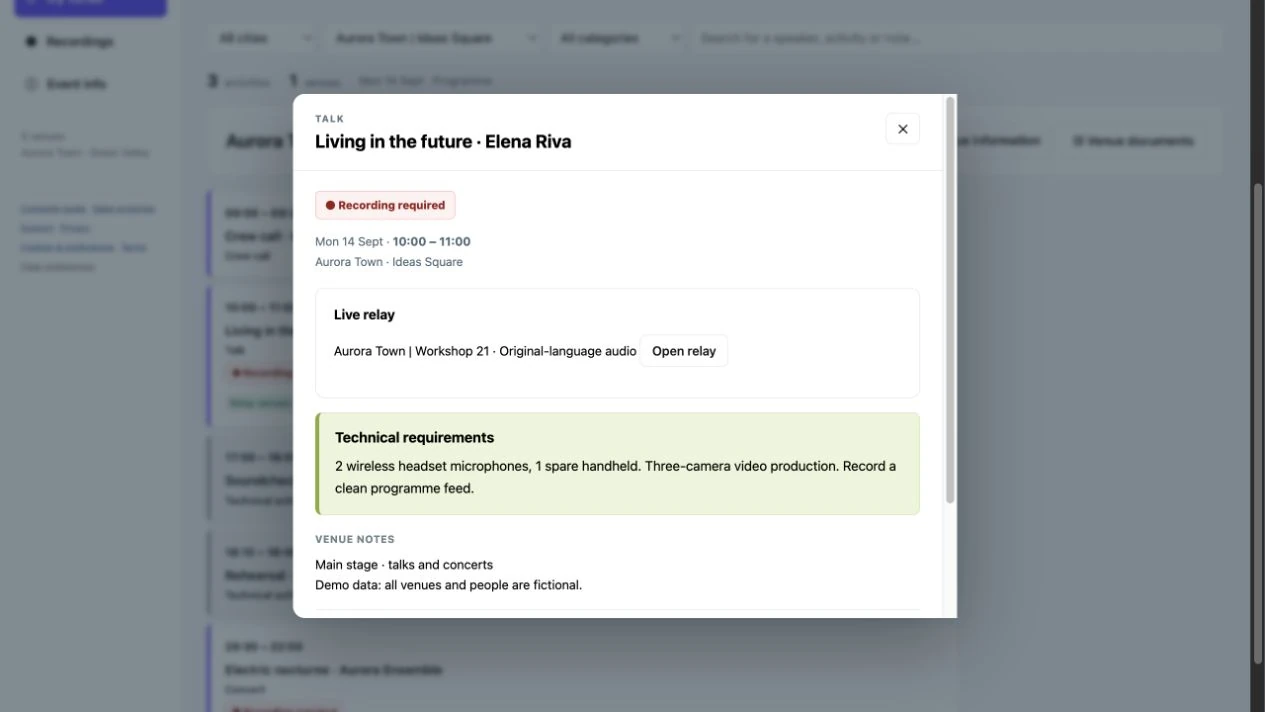
In the session details, add the artist’s or speaker’s specific requirements, notes visible to technicians, outstanding checks and relevant attachments. A request for four wireless microphones belongs with the session; the theatre system diagram belongs with the venue.
Sharing the schedule with technicians, including on phones
Viewers enter using the event code or link and the viewing password chosen by the coordinator, if required. A customer account is not needed to read the schedule. Personal accounts are for managers and collaborators working on events.
On a phone, technicians select the day and their venue. Days wrap when space runs out; “Venue info” and “Venue documents” open supporting information on demand. Sessions remain the focus of the screen.
Permissions determine which contact details and crew information are shared. Check the technician view before sending the link. An internet connection is needed to work with the schedule: leaving a page open does not make it an offline copy.
Live relays and recordings
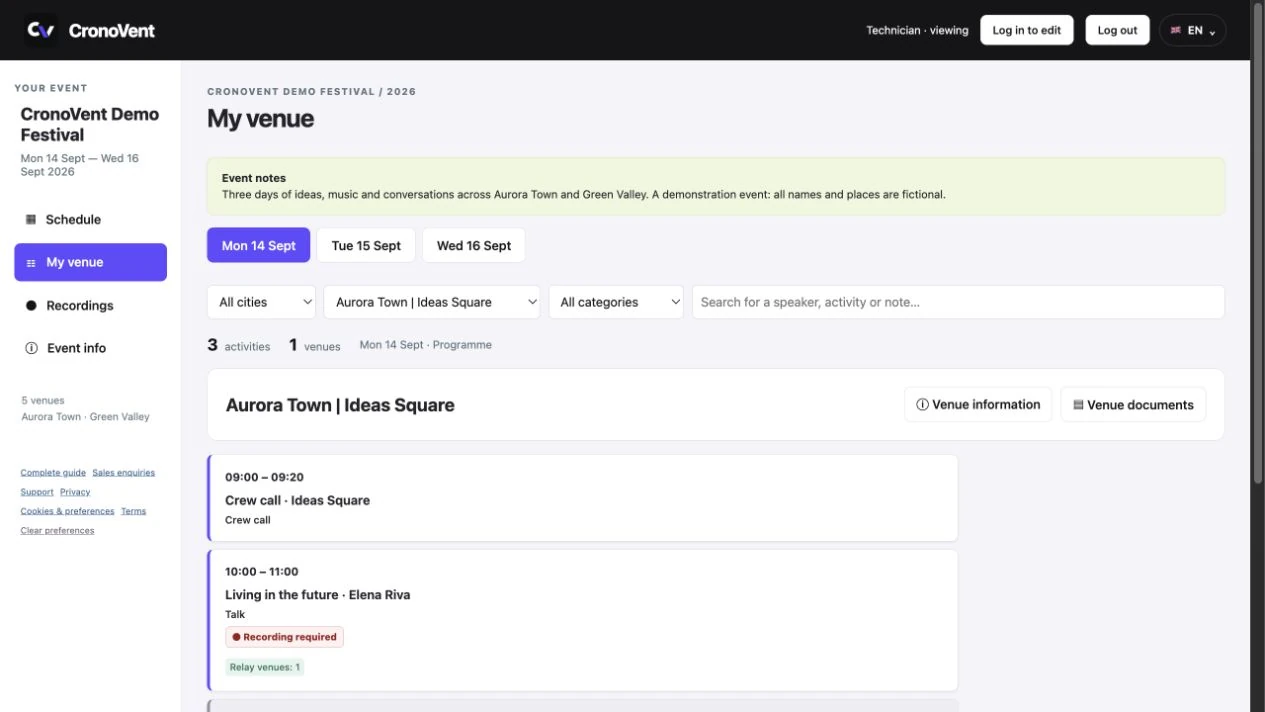
When a session is relayed to other venues, configure the destinations from the main session. Links between session details help trace the source and keep the schedule consistent.
For sessions requiring recording, the “Da registrare” (Recording required) indicator is also visible to technicians. The Recordings section tracks raw footage uploaded, video exported and video delivered; it can be private or shared for viewing. Videos stay on your own storage system.
Frequently asked questions about event scheduling
Can I start with a spreadsheet?
Yes. A spreadsheet can help you collect the initial programme. When choosing a shared tool, check how it handles venue information, access and updates. In CronoVent, you enter and organise the schedule in the portal.
Does CronoVent support festivals across several cities?
Yes. Each event can have multiple days and venues; menus identify spaces as CITY | VENUE.
Do technicians need to install an app?
No. They view the schedule in a computer or phone browser using the link or code they receive.
Can I give access to several collaborators?
Yes. The organisation manager can create collaborator accounts to work on events. Collaborators do not have access to the billing profile.
How do the trial and licences work?
The trial lasts seven days from email confirmation, with no card and no automatic charges. To continue, choose a licence in the portal. Payment is currently by bank transfer and activation follows payment verification. See the options in the pricing section.
Does the demo contain real customer schedules?
No. The demo schedule is fictional. After registration and email confirmation, a private, editable copy is prepared for your trial.
Read more: why CronoVent was created and which documents to prepare for each venue.
Try organising your first schedule
Explore the demo to see how days, venues and sessions connect. Then start the trial and work on your private copy.
Want to know whether CronoVent fits your event? Email info@cronovent.it.